


68 codes
Simulation code support
Recognize and structure outputs from electronic-structure, atomistic, database, and workflow codes.
9 method categories
4 workflow categories

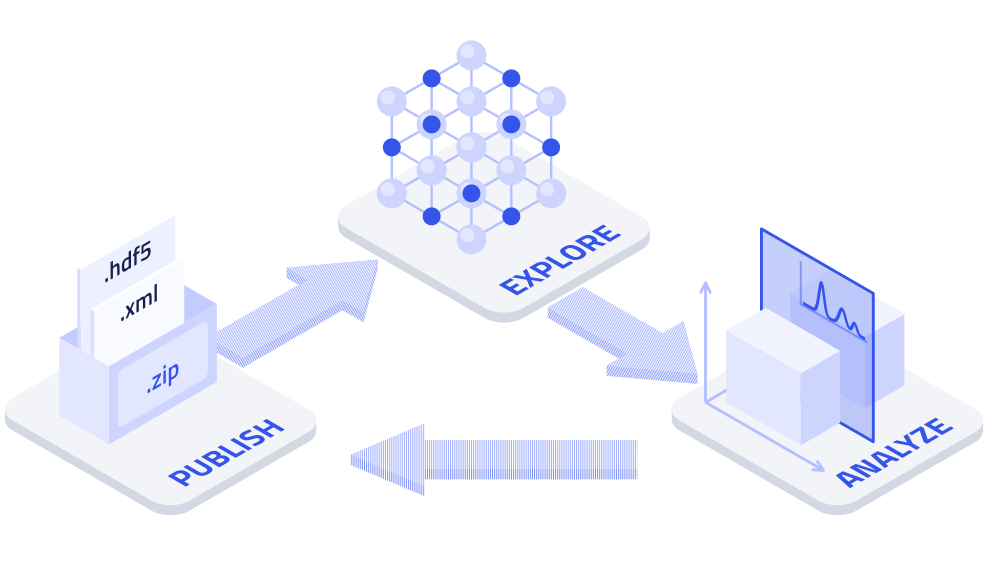
Upload individual files or zipped directory structures. NOMAD keeps your existing folder organization intact.
Organize related data entries in Projects and connect data, analyses, and metadata in traceable workflows.
Keep Projects private, invite collaborators, and decide what to share and when to publish.
Preserve original files while making their data and metadata structured, searchable, and machine-actionable.
Publish your Project with a persistent DOI that can be cited directly from papers.
Make published data visible through curated, domain-specific search apps that help peers in your community find and compare relevant results.
Recognize and structure outputs from electronic-structure, atomistic, database, and workflow codes.
Import measurement data through FAIRmat-developed parsers and NeXus converters for instruments, vendor formats, and technique-specific workflows.
Create structured, editable research records in the browser, then connect them into complete experiments and workflows.
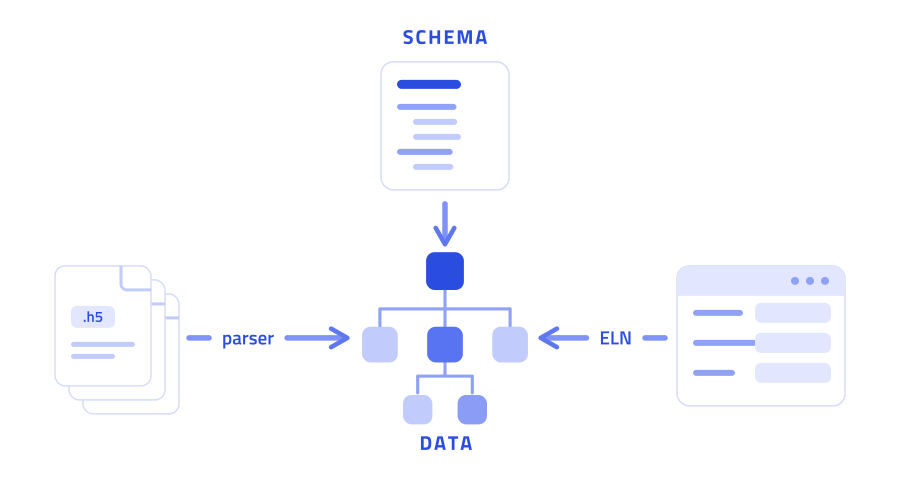
All data in NOMAD follows a schema that defines how data is hierarchically structured and cross-referenced. This schema is called the NOMAD Metainfo. It covers general domain-independent structures and detailed, method-specific content.
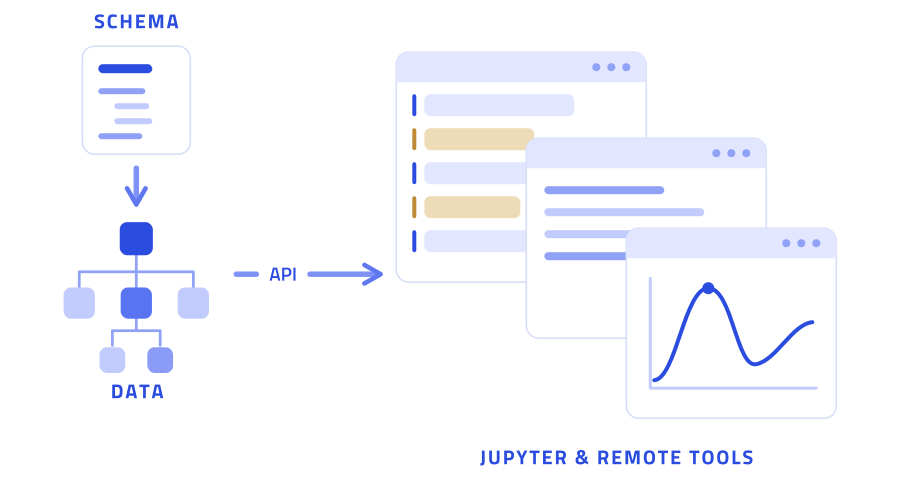
Because all data is uniformly organized, you can analyze data from different sources with the same tools. The NOMAD Remote Tools Hub (NORTH) runs Jupyter and other containerized applications directly alongside your data.
Sign up in under a minute to upload and publish data. No account is needed to browse or reuse community data.
Account instructions →Create a Project, then add individual files or zipped directories. Recognized data is processed into structured entries.
Create & upload to a Project →Review your entries, publish the Project when ready, and assign a persistent DOI for citation.
Publish & assign a DOI →A preview interface that shares the NOMAD Central Production database while running software that may still be under testing.
A separate NOMAD Central deployment and database for practicing uploads, publication, and other workflows.
A separate-database deployment for integrating and demonstrating functionality before it is ready for the other NOMAD Central instances.
Use your own resources, your own rules, and your own extensions. Manage all your group's data on self-hosted infrastructure with the same codebase as NOMAD Central Platform.
