nomad logo NOMAD
Self-hosted · Open source · Same codebase as NOMAD Central
NOMAD Oasis — build your own RDM solution
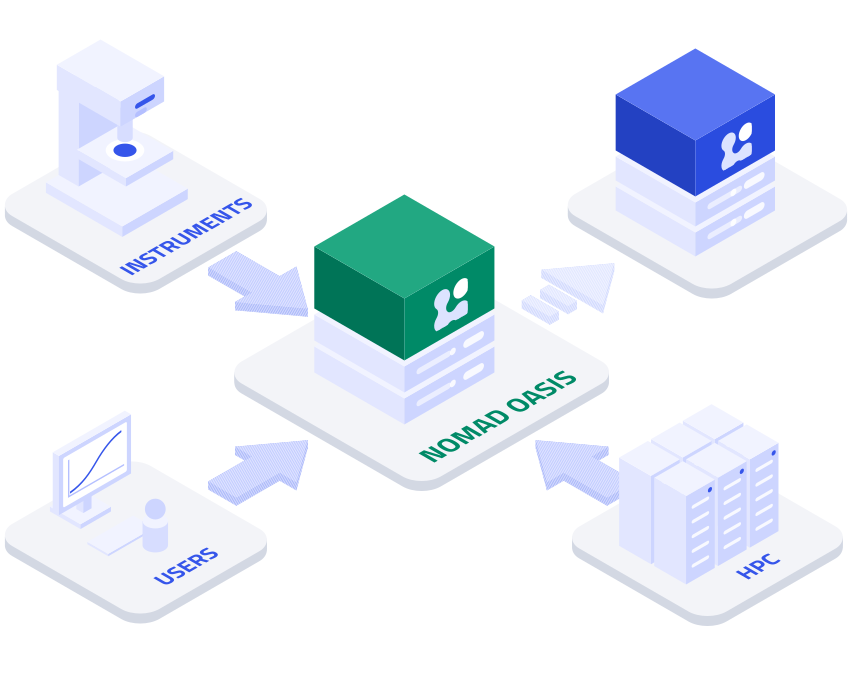
Run NOMAD on your own infrastructure, behind your firewall. Manage your group's data with your resources, your rules, and your extensions.
nomad oasis data infrastructure
What NOMAD Oasis gives you
All of NOMAD's features running on your own infrastructure. Implement your data management policies, customize for your data formats and workflows, and integrate with your existing systems.
Easy to install

Deploy on any machine running Docker using established deployment guides. Scale with Kubernetes as your needs grow.

Run on-premises or in the cloud

Deploy behind your firewall or inside your VPN. Use your own compute for data processing and analysis tools.

Integrate all data sources

Bring together and structure data from simulation codes, instruments, ELNs, LIMS, and other research systems.

Use your own tools

Start with JupyterHUB, then add your own containerized tools with direct access to your data.

Create custom ELNs

Extend NOMAD's core schema to create specialized editors for documenting your experiments and research workflows.

Publish to Central

Keep data local, then selectively publish to the public NOMAD Central deployment.

Why use NOMAD Oasis?
Take full control of your organization's research data. Stay connected to the wider NOMAD ecosytem: use and contribute to community tools and standards.
Access and Data Control

Control your data and enforce your own policies: run inside your VPN, integrate existing user management, and choose who can access or publish.

Flexible storage

Configure storage and backup to your requirements, including integration with existing institutional storage systems.

Easy to operate

Use established deployment templates and guides, with standard procedures for configuration, updates, and backup.

Research-specific customization

Adapt data models, processing, ELNs, search interfaces, analysis tools, and integrations to your research needs.

Community ecosystem

Build on established schemas, parsers, plugins, and tools developed across the NOMAD community.

Community-driven standards

Contribute your developments and stay aligned with evolving, bottom-up community standards and practices.

What you need to run an Oasis
Run Oasis on a single Linux server or deploy at larger scale with Kubernetes. Choose infrastructure and storage appropriate for your data and workloads. Start small and scale as needed.
CONTENTS WILL BE UPDATED
Operating system
Linux
Any modern distribution with Docker support
Runtime
Docker Compose or Kubernetes
Docker for single-machine. Kubernetes for scaled deployments.
Minimum specs
4 CPU cores, 8 GB RAM, 100 GB storage
For small group deployments. Scales with data volume and analysis load.
Storage
File-based, integrates with existing solutions
Local disk, NFS, object storage (S3-compatible), or institutional systems.
Auth
Keycloak, LDAP, or custom
Connect to your existing user management or run standalone.
Three steps to your own Oasis
Get your Oasis running in just a few minutes with the default configuration, then customize the configuration as you go.
STEP 01
Check requirements

Confirm your hardware meets the minimum specs above.

STEP 02
Run the installer

Clone the Oasis template repository, configure your environment file, and start the stack with Docker Compose.

STEP 03
Configure and register

Set up authentication, add your plugins, and register your Oasis with the NOMAD community.

NOMAD Oasis

Register your NOMAD Oasis to be informed with software updates and news.

Who builds it
Developed by FAIRmat

FAIRmat develops and operates NOMAD as part of a federated data infrastructure for materials science. It is the consortium that backs NOMAD as part of Germany's NFDI initiative.

Visit the FAIRmat website →